
New Smartwatches Changing The Game For Older Adults
Smartwatches have become useful companions for older adults, combining convenience with features that support safety, health awareness, and independence. Improved usability and the ability to increase font size means that smartwatches are no longer just for the young and tech savvy. Herein we overview top models that help seniors stay connected, healthy, and safe.
Smartwatches can be unusually practical for older adults because they solve small daily problems while quietly adding a safety layer in the background. A wrist-worn device can make it easier to take calls without rushing to a phone, follow turn-by-turn directions without squinting at a screen, and keep gentle tabs on heart and activity trends that may be worth discussing at routine appointments. The most meaningful value often shows up in emergencies, since falls are common in later life and rapid access to help can matter, especially for people who live alone or spend time outdoors. (safehome.org)
For iPhone households, Apple Watch Series 11 is an especially natural fit because it integrates tightly with the Apple ecosystem and emphasizes health and safety features that are easy to use day to day. An older adult can get prominent wrist notifications for calls and texts, use voice features for quick replies, and lean on safety tools such as Emergency SOS and fall-related alerts when enabled and configured. The health experience is also designed around simple, repeatable habits like closing activity rings, tracking heart rate trends, and reviewing sleep, which can encourage consistency without making the watch feel like a “training device.” (Apple) Readability is a major part of senior-friendly usability, and Apple builds it into core settings. Apple explains that text size can be adjusted directly on Apple Watch through Display & Brightness, using the Digital Crown to make onscreen text larger, alongside brightness controls for different lighting conditions.
Samsung’s Galaxy Watch8 Classic offers a different kind of senior-friendly benefit: its classic case shape and tactile navigation can feel more comfortable than an all-touch interface. The rotating bezel provides a physical way to move through screens, which many people find easier than swiping on a small display, particularly when hands are cold, dry, or less steady. In daily use, the Watch8 Classic can keep reminders, calls, and notifications visible at a glance, while its health features are built to support routine awareness around activity, sleep, and heart-related tracking within Samsung’s connected ecosystem. (Samsung) Senior-friendly screens are not just about brightness; they are about control. Google’s Wear OS accessibility guidance describes changing font size through Accessibility settings and using magnification to zoom in and pan around content, which can help Wear OS watches such as the Galaxy Watch8 Classic and Pixel Watch 4 stay comfortable as vision needs change.
Google’s Pixel Watch 4 is a strong option for older adults who prefer Android and want a clean, modern smartwatch that leans into Fitbit-style wellness guidance. It is well-suited to people who are motivated by simple, readable feedback—daily movement, heart rate trends, and sleep insights—rather than complicated athletic metrics. For families, the value is often in its quiet consistency: reminders arrive reliably, helpful prompts support daily routines, and safety-oriented features can be set up so the watch feels reassuring without being intrusive. (Google) Day-to-day usability on Pixel Watch also includes practical emergency behaviors that reduce the need to navigate menus under stress. Google’s Pixel Watch safety guidance notes that the watch can connect to emergency services and that emergency contacts can be called even without unlocking under certain conditions.
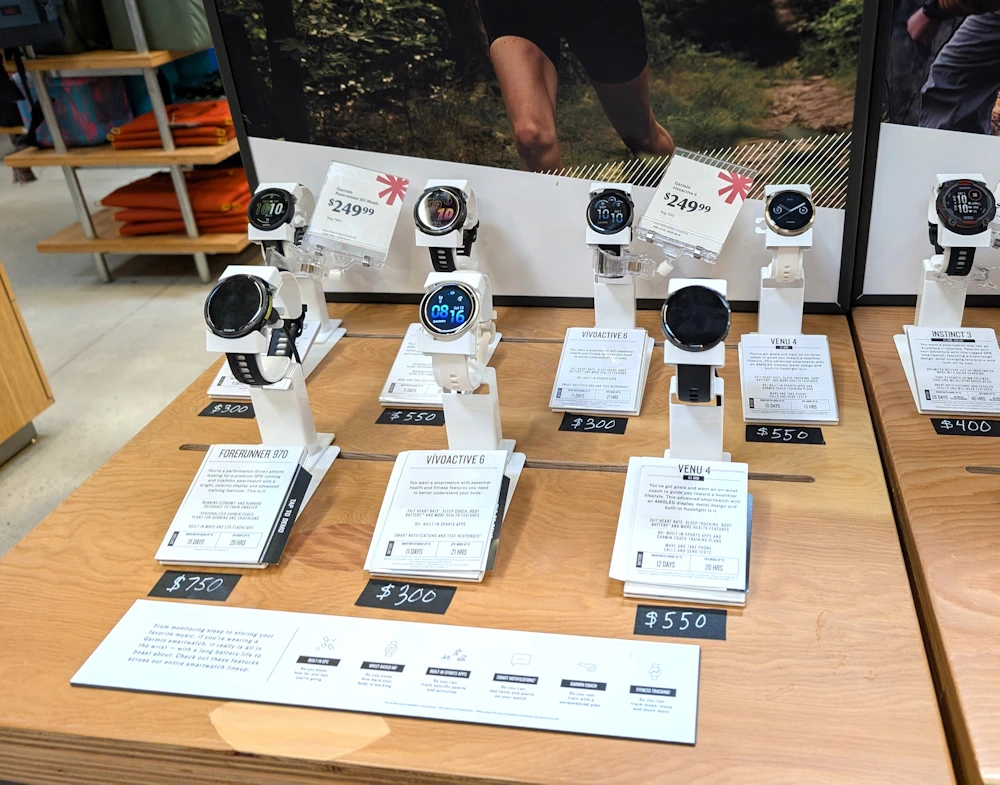
Garmin’s Venu 3 tends to appeal to older adults who prioritize battery life and a calmer, long-horizon approach to health and activity. Many seniors find that a watch is more likely to be worn every day when it does not need constant charging, and Garmin’s design philosophy often centers on durable wearability and readable dashboards for energy, stress, sleep, and activity. For walkers and travelers, that reliability can matter more than flashy features, because the watch becomes a steady companion for step goals, heart rate monitoring during exercise, and overall routine-building that feels sustainable over years. (Garmin)
Not every older adult wants a full-featured smartwatch, and purpose-built devices can be a better match when simplicity and emergency response are the priority. Lively’s Wearable2 is designed as a medical-alert-style wearable in a familiar watch form, focusing on quick access to help and confidence outside the home rather than app ecosystems. For seniors who want a straightforward way to connect to urgent response support, especially when walking, shopping, or traveling alone, the appeal is that the device is built around one clear job: making it easier to get assistance fast if something goes wrong. (Lively)
Across these options, the most senior-relevant benefits tend to cluster around the same themes: safety tools for unexpected events, heart and activity tracking that can support informed conversations with clinicians, and everyday convenience that reduces friction in normal life. The best match often comes down to ecosystem and comfort—Apple Watch for iPhone users, Samsung or Google for Android users, Garmin for those who value battery life and long-term wellness patterns, and a dedicated alert wearable for those who want simplicity above all else. When chosen with the right priorities, a smartwatch can feel less like a gadget and more like a small, confidence-building upgrade to daily independence.
ExplainGenie is for informational purposes only. Best attempts are made to ensure reliability and timeliness of information. ExplainGenie does not sell products or services of any kind for sale.